


Table of Contents
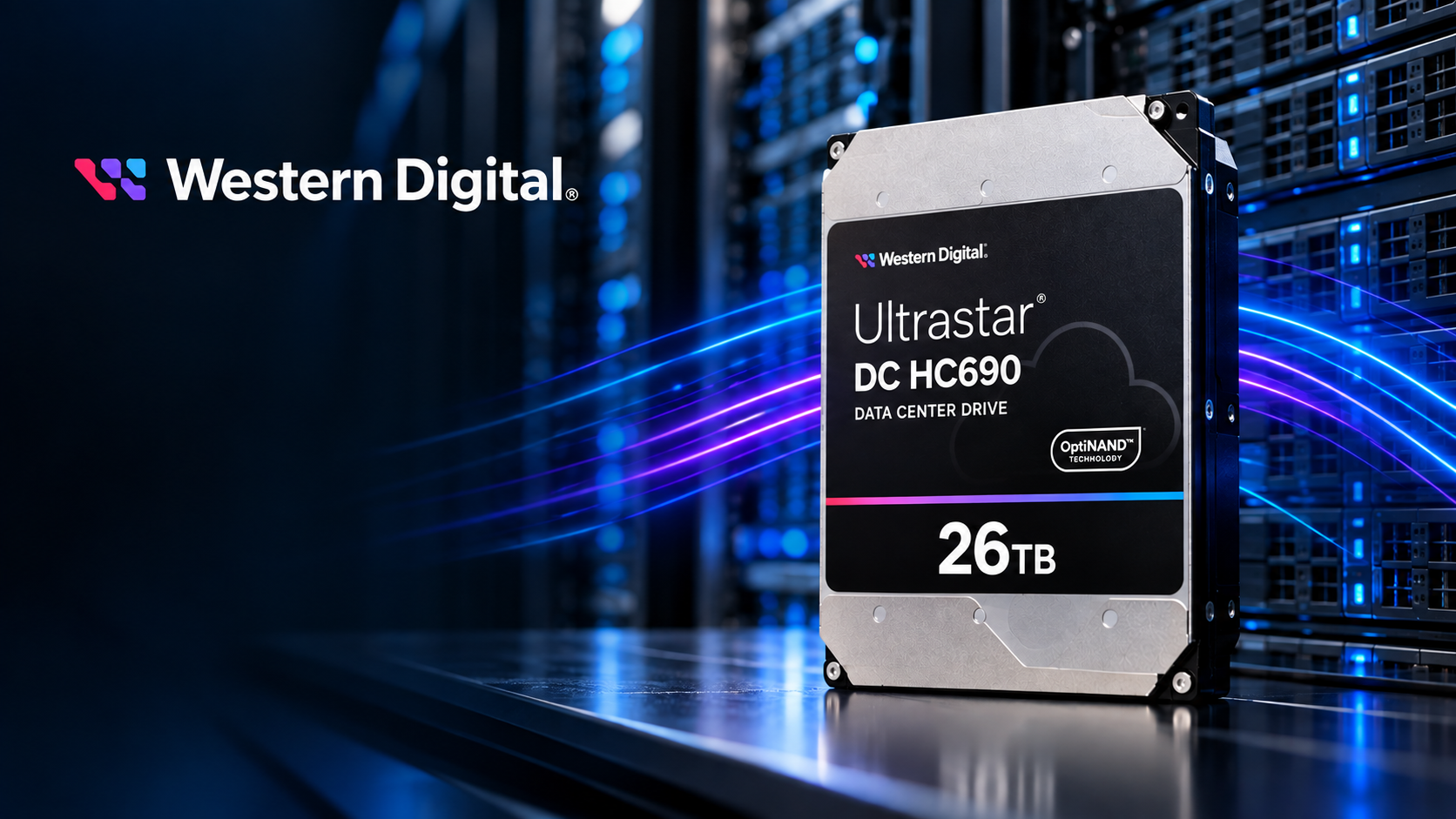
Western Digital Ultrastar is a range of HDDs designed for servers and data centres, where they operate continuously in arrays and under heavy workloads. In this guide, we compare Ultrastar models available from Senetic and explain which one is best suited to specific applications—from a single file server to storage for large data sets.
What is the WD Ultrastar range?
Ultrastar is an enterprise-class drive range. All current models carry the DC (Data Center) designation and share three key characteristics:
- designed for 24/7 operation, rather than occasional use as in office computers,
- a workload rate of up to 550 TB per year, meaning the volume of data the drive can write and read in a year without compromising its reliability specifications,
- include a 5-year limited manufacturer warranty.
The drives mainly differ in capacity, design, platter count and technologies that increase recording density. You can find the full range in the WD Ultrastar drives.
How does an Ultrastar drive differ from a standard HDD?
A desktop drive is designed for a few hours of daily operation and light workloads. In a server, the same drive runs around the clock alongside a dozen or more other drives, transmitting vibrations to one another. Ultrastar drives include features designed for these conditions:
- rotational vibration sensors and compensation, essential in multi-drive enclosures,
- a higher permitted workload: 550 TB per year, compared with the typical several dozen TB of desktop drives,
- MTBF (mean time between failures) of 2 million hours in older models (HC310, HC320) and 2,5 million hours in newer models (from HC520 onwards),
- data protection in the event of power loss and optional hardware encryption (SE/SED versions).
It is worth noting that MTBF and workload are manufacturer-declared values determined under specific operating conditions, including temperature and workload. They do not guarantee that an individual drive will operate for that many hours. They are used to compare drive classes and estimate failure rates across large fleets.
Technologies in Ultrastar drives
HelioSeal
Higher-capacity Ultrastar models are filled with helium rather than air. Helium creates less resistance, allowing more platters to fit into the same enclosure while reducing power consumption.
OptiNAND and ArmorCache
In newer models, Western Digital has added flash memory to store metadata. This enables tracks to be packed more densely on the platters, increasing capacity. ArmorCache, an OptiNAND-based feature, protects buffered data during sudden power loss and improves write performance when the cache is disabled.
EAMR
In the highest-capacity models, the drives use energy-assisted magnetic recording. The head receives an additional electrical pulse that stabilises recording at very high data density. From the user’s perspective, it is simply conventional CMR recording on more densely packed platters.
CMR and SMR
All models in the table below use CMR recording, making them suitable for RAID arrays and random write operations. The Ultrastar range also includes SMR (host-managed) drives, but these are solutions for large environments with software designed for this recording method. We discuss them in more detail in the article 32 TB in a single drive. How does WD UltraSMR increase storage density?.
WD Ultrastar DC models: comparison
| Model | Capacity | Interface | Application |
|---|---|---|---|
| Ultrastar HC310 | 4 TB | SAS | smaller servers, older platforms |
| Ultrastar HC320 | 8 TB | SATA | file server, backup for a small business |
| Ultrastar HA340 | 12 TB | SATA | entry-level capacity with a good price per TB |
| Ultrastar HC330 | 10 TB | SATA | mid-sized storage |
| Ultrastar HC555 | 20 TB | SATA | large data sets, good capacity-to-price ratio |
| Ultrastar HC570 | 22 TB | SATA | arrays, data centres |
| Ultrastar HC580 | 24 TB | SATA | highest capacity in the OptiNAND family |
| Ultrastar HC590 | 26 TB | SATA | maximum capacity, 11-platter CMR design |
Most models in the table are also available with a SAS interface within the same product line—the exception is HA340, which is available only in a SATA version.
Which Ultrastar for which application?
File server and backup for a smaller business
If you need several or a dozen terabytes in a server with a few drive bays, models HC320 or HA340 are a good fit. They cost less per drive, and at this scale, capacity per individual drive is not a bottleneck.
RAID array and mid-sized storage
HC330 and HC555 are good choices here, offering a solid capacity-to-price ratio with full availability. With larger drives, remember that array rebuilds take longer, so for capacities above 20 TB, it is worth considering RAID 6 rather than RAID 5.
Data centre and maximum density
When data grows faster than the budget for rack space, capacity per bay delivers the greatest benefit. HC570, HC580 and HC590 let you fit more terabytes into the same enclosure, while higher recording density also usually means lower power consumption per TB.
SATA or SAS?
SATA is suitable for most servers and NAS systems, and it usually costs less. Choose SAS when:
- the drive will be installed in an array or shelf with a SAS controller,
- you need dual-port connectivity and a redundant path to the drive,
- you require better management of a large number of drives on a single controller.
Reliability specifications (workload, MTBF and warranty) are the same for both versions.
FAQ
Is WD Ultrastar suitable for NAS?
Yes, particularly for multi-drive NAS systems in businesses that operate around the clock. For small, two-bay home NAS systems, it is more than most users need.
What does 550 TB per year mean in practice?
That equates to approximately 1,5 TB of reads and writes per day throughout the year. Most servers in small and medium-sized businesses do not come close to this figure, so Ultrastar offers substantial headroom.
What is the difference between HC580 and HC570?
HC580 has a higher maximum capacity (24 TB versus 22 TB) and uses additional technologies that increase areal density, as described above.
Can I combine Ultrastar models with different capacities in a single array?
Technically, yes, but in most RAID configurations, the array will use the capacity of the smallest drive. It is best to use drives of the same model and capacity.
What warranty do Ultrastar drives come with?
Western Digital provides a 5-year limited warranty for Ultrastar DC drives.
The technical data described in this article comes from official Western Digital datasheets.
Sponsored article. This material was created in partnership with Western Digital.
