


Table of Contents
Which computer for AI? It depends on the use case and model size: for office work, a laptop or AI PC with an NPU will usually suffice; running larger models locally requires a workstation or desktop AI supercomputer; and training models from scratch calls for a GPU server or the cloud. This guide is aimed at businesses, IT teams, SMEs and public institutions planning an AI implementation.
Here you will find four classes of computers designed for AI workloads, their real-world limits, key specifications such as memory and bandwidth, and a table showing how many resources are needed for specific use cases. This is an important decision, as the right computer enables language models to run on local infrastructure, helps protect data privacy and makes it possible to use available computing power flexibly and efficiently.
According to a Eurostat report, in 2025, 20% of companies in the European Union used AI technologies. Two years earlier, the figure was 8%. Among large enterprises, it has already reached 55%, compared with 17% among small businesses. Adoption is accelerating, albeit unevenly, and more and more teams are now facing the question of hardware.
What will this computer be used for?
Before looking at specifications, define the use case. It determines the right choice, rather than the technical specifications alone. The best AI computer is one whose configuration and budget match the specific artificial intelligence applications.
- AI assistance in day-to-day work. Meeting transcription, text generation and editing, an assistant built into the operating system, and video conferencing filters. The models run in the cloud or locally, but they are small and place little demand on the hardware.
- Running ready-made models locally. The company downloads an open-source model and uses it in-house for document analysis, handling customer queries or image generation. This category also includes data analysis and simpler machine learning projects. Data does not leave the organisation. This is where genuine hardware requirements begin.
- Fine-tuning models with proprietary data. Fine-tuning and LoRA enable a model to learn the terminology, procedures and context of a specific company. This requires considerably more memory than simply running a ready-made model.
- Training a model from scratch. Building a proprietary model from the ground up. This is a task for data centre infrastructure, not a desktop computer.
The first two scenarios can be handled by hardware that many companies already have or can acquire without major investment. The third requires an informed decision about the device class. In practice, the fourth means the cloud or a server room. This breakdown also makes selection easier for AI developers and data analysts, who most often work in the two middle scenarios.
Types of computers for AI
AI PC with an NPU
A computer or laptop with a dedicated NPU designed for artificial intelligence workloads. It processes them efficiently without placing load on the CPU or graphics card, and without sending data to the cloud. The entry threshold is 40 TOPS (trillion operations per second). This is the requirement for Copilot+ certification, currently found in laptops with Intel Core Ultra, AMD Ryzen AI and Snapdragon X processors.
Suitable for: office productivity assistance, transcription, translation, use of an operating system assistant and running small local models.
Its limit: models larger than a few billion parameters. An AI PC is not designed for fine-tuning or training models, nor is that its role.
Example: Dell Pro 16 with a AMD Ryzen AI processor
Workstation with an NVIDIA RTX graphics card
A traditional workstation with a professional NVIDIA graphics card. For AI computers, NVIDIA RTX cards are typically chosen because their Tensor cores accelerate artificial intelligence and machine learning model computations. Equally important is the CUDA software ecosystem, which has become the standard for most tools and libraries. The workload is handled by the GPU, and the key specification is the amount of VRAM on the card – from 16 GB in entry-level variants to 96 GB in RTX PRO Blackwell cards. The advantage is very high memory bandwidth, which translates into real-world performance.
Suitable for: image and video generation, working with language models of up to approximately 32 billion parameters, rendering and compute workloads – anywhere response time matters. For language models, the practical minimum is 12–16 GB VRAM.
Its limit: models of 70B and above. They will fit only on the most expensive cards with 96 GB VRAM, while models above 120B will not. Scaling up then requires a multi-GPU configuration with the appropriate power supply, cooling and budget.
Example: Lenovo ThinkStation P3 Tower Gen 2– a workstation with a professional NVIDIA RTX graphics card and 16 GB VRAM.
Desktop AI supercomputer
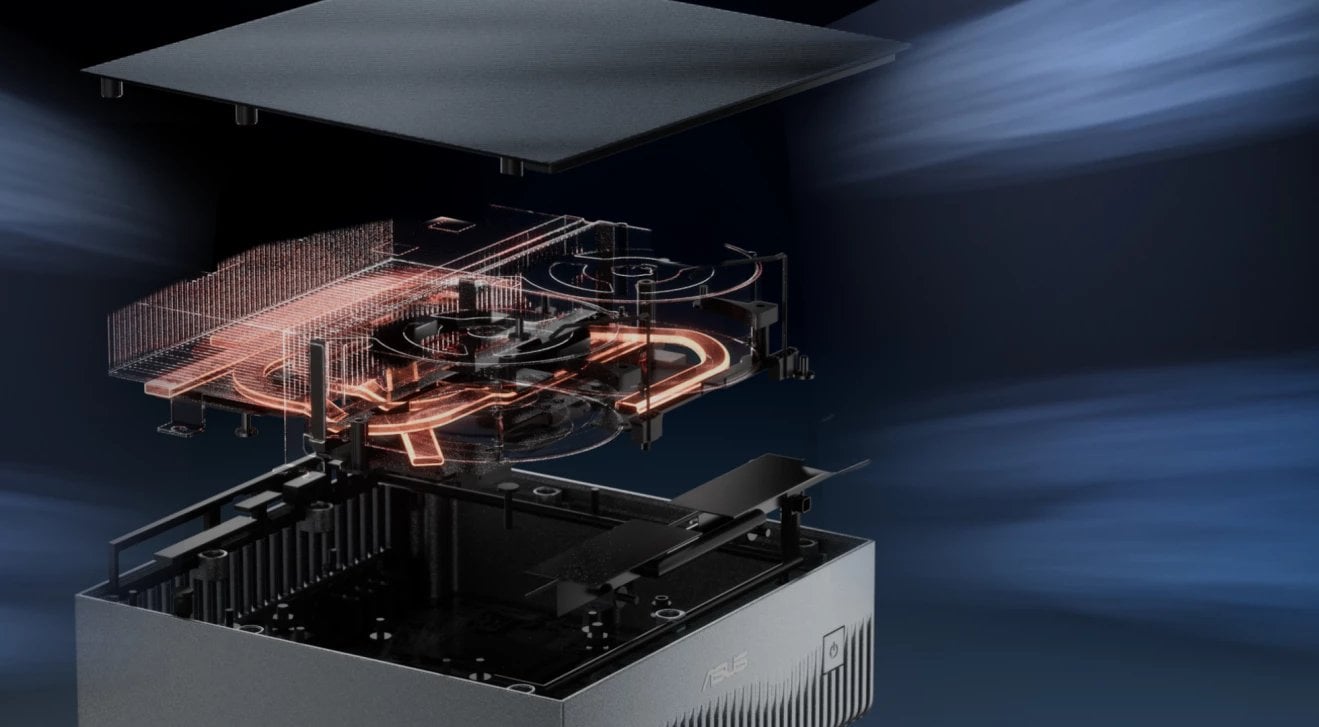
The latest class of devices, built around the NVIDIA GB10 Grace Blackwell superchip, brings work with large models to the desktop. It combines a CPU and GPU with a shared pool of 128 GB unified memory, fully available to the model without a fixed split between RAM and VRAM. The device is the size of a book, draws as much power as a high-performance laptop and runs quietly, while supporting the full NVIDIA ecosystem: CUDA, NGC containers, PyTorch and Ollama. The greatest benefit of this class is complete control over data when running AI models locally.
Suitable for: running large models locally (up to approximately 200 billion parameters), prototyping, fine-tuning models using LoRA and QLoRA, and working with data that cannot leave the company. It is also well suited to testing proprietary AI applications and running short-iteration experiments, where the speed of validating successive ideas matters.
Its limit: when training models from scratch and serving multiple users simultaneously in production. This hardware is for a team working on a model, not an application server for the entire organisation.
Example: Asus Ascent GX10 – a compact desktop AI supercomputer based on the GB10 superchip, designed for developers and AI and data engineers.
GPU server and cloud
Server infrastructure with H100, H200 or Blackwell-class accelerators, either owned or rented in the cloud. It offers significantly greater compute power and bandwidth, but also requires a rack, power and cooling measured in kilowatts.
Suitable for: training models from scratch, serving multiple users, deployments requiring multiple operations to run simultaneously, and real-time workloads.
Where the limitations lie: costs and data. The cloud means information leaves the company, and this remains one of the main barriers to AI adoption. If you are considering your own infrastructure, find out which AI server to choose and what it really costs.
Before turning to a server room, it is worth considering an intermediate step. Desktop AI supercomputers can be paired to provide 256 GB of shared memory — enough to work with models of around 405 billion parameters without leaving the office or investing in infrastructure.
Example: HP ZGX Nano G1n – two such units connected via a ConnectX-7 interface provide 256 GB of shared memory.
Hardware requirements: how much memory you need and why it is the most important parameter
Memory determines whether a model can run at all. In a workstation, this is the VRAM on the graphics card; in desktop AI supercomputers, it is unified memory shared by the processor and graphics unit. From the user’s perspective, one thing matters: how much memory is actually available to the model. System memory and VRAM are not interchangeable, as they serve different roles and must be selected separately.
Labels such as 7B and 70B indicate the number of model parameters: 7 billion and 70 billion respectively. Parameters are the values the model has learned during training and must load into memory to operate. The more parameters there are, the better the response quality, but the greater the hardware requirements.
Requirements depend on the number of model parameters and quantisation, i.e. the precision used to represent them. The rule is simple: at 4-bit quantisation (Q4), a model needs roughly 0,5–0,6 GB for every billion parameters; at 8-bit quantisation (Q8), around 1 GB; and at full FP16 precision, around 2 GB. On top of this, allow a 10–20% margin.
| Model | Q4 (4-bit) | Q8 (8-bit) | FP16 |
| 7B / 8B | 5–8 GB | 8–10 GB | 14–16 GB |
| 13B | 8–10 GB | 14 GB | 26 GB |
| 30–34B | approx. 20 GB | approx. 34 GB | approx. 64 GB |
| 70B | 40–48 GB | approx. 70 GB | approx. 140 GB |
| 120B (MoE) | 65–75 GB | — | — |
| 200B (FP4) | fits in 128 GB | — | — |
| 405B | 256 GB (two units) | — | approx. 810 GB |
The values in the Q4 column already include headroom for the KV cache and overhead. The Q8 and FP16 columns show the size of the model weights alone, so an additional 10–20% must be added. The 405B model fits on two connected units only with 4-bit quantisation (Q4).
For image generation, requirements are lower: Stable Diffusion 1.5 runs from 4–6 GB, SDXL runs comfortably at 12–16 GB, while newer FLUX-class models require 24–48 GB. Training a custom LoRA for SDXL fits within 16–24 GB.
In data science environments, 32 GB of RAM remains the standard, although working with large local models may require more. Fine-tuning using LoRA or QLoRA is feasible even for a 70B model on a single unit with 128 GB of unified memory. Full training of large models remains the domain of data centre hardware.
Memory determines what fits. Bandwidth determines how quickly the model responds
A second parameter that is rarely discussed, yet determines day-to-day usability, is memory bandwidth. Memory capacity determines whether a model can load at all; bandwidth determines how quickly it generates successive words in its response.
| Device | Memory bandwidth |
| Desktop AI supercomputer (GB10) | 273 GB/s |
| Apple Mac Studio M3 Ultra | 819 GB/s |
| NVIDIA RTX 4090 | approx. 1008 GB/s |
| NVIDIA RTX 5090 | approx. 1792 GB/s |
| NVIDIA H100 (HBM3) | approx. 3350 GB/s |
At first glance, the conclusion seems obvious: if H100 has twelve times the bandwidth, why would anyone need a device with 273 GB/s? However, this comparison is misleading because these systems do not compete with each other.
H100 is an accelerator for a rack-mounted server, costing tens of thousands of dollars for the chip alone and requiring data centre infrastructure. A desktop AI supercomputer sits on a desk and consumes as much power as a high-performance laptop. The appeal of this class is not its speed, but the fact that 128 GB of memory in a small-computer form factor was previously unavailable at this price point. Previously, a company had three options: an RTX card with 24–32 GB, which is too little for large models; a server with H100, which is too expensive and requires a server room; or the cloud, which means data leaves the organisation. This new class of devices fills the gap in between.
It is a little like comparing a van with a sports car. The sports car is faster, but that is not the point. What matters is how much it can hold and how much it costs.
In practice, this means that the 70B model generates a response slowly in a single stream—noticeably more slowly than on a server. However, it runs locally, without sending data to the cloud or investing in server infrastructure. With multiple parallel requests, for example in pipelines or agents, aggregate performance increases. This is more than sufficient for prototyping, fine-tuning and team-based model development.
The remaining components are of secondary, though not negligible, importance. A fast NVMe drive reduces model loading times and affects overall performance, so an AI computer specification should include the GPU, processor, RAM and NVMe SSD. In preconfigured systems, the other components are selected for the specific platform, so there is no need to assess them separately. The only choice you really need to make is storage capacity, which should match the size of the models and datasets you work with.
Overview of brands and product lines
All AI desktop supercomputers currently available are based on the same NVIDIA GB10 superchip and have the same 128 GB of unified memory. Manufacturers do not differentiate them by performance. Individual configurations differ in storage capacity, chassis and cooling, operating system, and warranty and support coverage. This is important when purchasing: comparing these systems by computing power makes no sense. What matters is how well they fit a specific company’s processes and requirements.
- NVIDIA DGX Spark – the reference version and benchmark for this entire class of systems. NVIDIA bases its documentation and technical materials on it, so performance descriptions and tests published online most often relate to this variant. It comes with high-capacity, high-speed storage and a distinctive chassis that sets it apart from partner designs.
- Lenovo ThinkStation PGX – a ThinkStation range with extensive service and technical support. It is the most widely represented brand in this category, with numerous variants available that differ in storage capacity, operating system and warranty package. A natural choice for organisations that already have established procurement and service processes with Lenovo.
- HP ZGX Nano G1n – also available in a version without a wireless module, designed for environments with stringent security requirements. This is a rare option in this class and a genuine advantage wherever security policies rule out wireless connectivity, for example in public administration, the financial sector or air-gapped networks. The system is supplied with a Linux-based operating system ready for working with models.
- Dell Pro Max – a natural choice for organisations purchasing hardware under corporate agreements with Dell, simplifying administration for larger deployments. Available in the standard configuration with high-capacity storage, with no need to purchase additional storage.
- ASUS Ascent GX10 – a compact design. Available variants with different storage capacities make it possible to start with a smaller configuration and lower the entry barrier if the company is only beginning to test local model workloads. The design allows systems to be stacked, making subsequent expansion easier.
- Gigabyte AI TOP ATOM and MSI EdgeXpert – variants focused on high-capacity, high-speed storage. This is important when working with large datasets and multiple models at once, where model files alone can occupy hundreds of gigabytes. They are also well suited to deployments outside the data centre, close to where the data is generated.
- Acer Veriton GN100 – a design that dissipates heat effectively. In comparisons with other systems in this class, it runs the coolest, which translates into stable operation during long-running tasks such as model fine-tuning, when the hardware is under continuous load for many hours.
How to choose an AI computer: watch the video
We have also summarised the key takeaways from this guide in a short animation. Watch the video to see, in just a few minutes, how the four classes of AI computers differ and which one best suits your company’s needs.
Frequently asked questions
What is the difference between a standard computer and an AI PC?
An AI PC has a dedicated NPU that processes artificial intelligence tasks locally and efficiently. A standard computer can also handle AI, but it will do so using the processor or graphics card—more slowly and with higher energy consumption.
How much RAM is needed for AI work?
For office applications with AI support, 16 GB is sufficient, while 32 GB is more comfortable. In data science environments, 32 GB of RAM is standard, while working with local models often requires more. However, not only system memory matters; memory available to the graphics processor—VRAM—or unified memory is also crucial.
How much VRAM is needed to run the 7B, 13B or 70B model?
With 4-bit quantisation: approximately 5–8 GB for the 7B model, 8–10 GB for 13B, and 40–48 GB for 70B. In practice, for language models, the minimum starts at 12–16 GB of VRAM, depending on quantisation.
For AI, is the processor or graphics card more important?
The graphics card or a dedicated accelerator. The processor handles data preparation, but the GPU performs the actual computations. Chips with Tensor Cores accelerate machine learning tasks more effectively than a processor alone.
What is unified memory and how does it differ from VRAM?
VRAM is memory permanently assigned to the graphics card. Unified memory is a shared pool used by both the processor and graphics processor. As a result, a system with 128 GB of unified memory can run a model that would not fit on any single graphics card. In return, it has lower bandwidth, so responses are generated more slowly.
What is an NPU and how many TOPS do I need?
An NPU is a processor specialised in artificial intelligence workloads. TOPS measures its performance. For office applications with AI support, 40 TOPS—the Copilot+ certification threshold—is sufficient. For larger models, TOPS is no longer a meaningful metric; memory capacity and bandwidth become the key considerations.
Does AI run on Windows, or is Linux required?
AI runs on Windows. However, professional tools for working with large models are developed primarily for Linux, which is why AI desktop supercomputers are typically supplied with an Ubuntu-based operating system.
How large a model can 128 GB of unified memory support?
Models with approximately 200 billion parameters at 4-bit quantisation. Models in the 405-billion-parameter range require two units to be connected.
Can two units be connected in a cluster?
Yes. Devices based on GB10 feature an integrated NVIDIA ConnectX-7 network interface with 200 GbE ports, allowing two units to be connected for 256 GB of shared memory.
When should you choose an AI PC, a workstation or a server?
AI PC: when AI is intended to support everyday office work. RTX workstation: when you work with images, video or models of up to 32 billion parameters and need speed. AI desktop supercomputer: when you need to run large models locally and fine-tune them. Server or cloud: when you train models.
Does data leave the company when using a local model?
No. A model running on your own hardware processes data exclusively locally. This is the main reason why organisations handling sensitive data choose on-premises solutions rather than the cloud.
Enterprise AI adoption data: Eurostat, “Use of artificial intelligence in enterprises”, data for 2025. Specifications and parameters current as of August 2026.
