


This article is aimed at SMEs, IT managers and system integrators who want to make an informed choice of the best RAM for desktops, laptops and servers in 2026.
New IT infrastructure, office equipment or expanding a data centre always represents a significant investment for a company. Hardware purchases must be carefully considered, and the equipment chosen should match the organisation’s business needs. With RAM module prices on the rise, no one wants to make the wrong decision. We need to be certain that our choice will serve the organisation for years to come. The components we select directly affect productivity, data security, reliability and working comfort – whether in the office, on site or remotely. In this article we present a ranking and a selection guide for RAM in 2026.
In B2B environments – from SMEs to data centre infrastructures – correctly chosen RAM modules determine the smooth operation of ERP systems, seamless management of virtual machines, processing of large databases, maximum server performance and the working comfort of hundreds of employees at once. IT managers, procurement specialists and integrators know that memory limitations quickly become an organisation-wide problem.
In our ranking we focus on the best RAM modules for desktops, laptops, workstations and servers. We examine their parameters – clock frequency (MHz), latency (CL) and capacity – and compare the previous-generation DDR4 with the latest DDR5 standard to support informed hardware purchasing decisions.
Which RAM will be the best choice in 2026? Before we answer this question, let’s start with the basics: what does RAM actually do and what role does it play?
What is RAM?
RAM (Random Access Memory) temporarily stores the data the processor needs for its current tasks, and only while the device is powered on.
RAM is an essential hardware component that directly determines overall performance. Its function is often explained using the desk-and-drawer analogy.
The larger the desk (the more RAM a device has), the more documents (applications and programmes) you can have open and use simultaneously without wasting time searching for them (without slowdowns). The drawer corresponds to the storage drive (e.g. SSD), where all documents (files) are kept permanently when you are not working with them.
Applications of RAM
Key applications of RAM in a business context:
- Advanced multimedia processing: Fast RAM (especially DDR5) significantly speeds up work in video editors, rendering software and graphic applications.
- 3D design and engineering: Smooth 3D modelling, spatial design and complex engineering calculations.
- Artificial intelligence and Big Data: For AI workloads and processing very large data volumes, a capacity of 32 GB, 64 GB or more is recommended.
- Software development: Fast, high-capacity RAM with low latency is the best solution for demanding development environments.
- Multitasking: In business, multiple applications are frequently used at once. Sufficient RAM (e.g. running in Dual Channel mode) ensures smooth performance and responsive system behaviour without lag.
Characteristics of RAM
- Volatility: RAM holds data only while the computer or device is powered on. Once switched off, all unsaved data is lost permanently.
- Speed: RAM parameters are critical to system responsiveness, as they enable the processor to read and write data in real time at extremely high speed.
- Random access: This means the processor can read or write any fragment of memory at any time, regardless of the physical location of the data.
In summary, the more RAM a device has (especially from 32 GB to 64 GB and beyond) and the faster it is, the more smoothly and efficiently it handles multiple resource-intensive tasks and applications simultaneously.
Why does choosing the right RAM matter?
In B2B settings and for professional use – depending on company size, office requirements or server demands – choosing the right RAM parameters is crucial. Before purchasing, assess how much memory each device actually requires. With RAM prices trending upward, the decision needs to be especially well considered.
Why did memory-module prices keep rising? There are several reasons, but the primary one is the growing demand driven by the AI boom and global shifts in the technology market. Data centre investments are enormous – all fuelled by the expansion of AI infrastructure. Data centres need powerful servers, and servers require vast amounts of memory. RAM manufacturers are selling through their stock at record pace while simultaneously modernising their factories. The market increasingly operates on a first-come, first-served basis.
The good news is that DDR5 module prices are beginning to stabilise and even fall after a period of significant increases. It should be noted, however, that prices also depend on specification – different configurations range from approximately £115 to £385. Moreover, DDR5 is becoming an increasingly cost-effective choice as manufacturers focus production on the newer generation and scale back the older one.
What to look for before buying RAM
The most important RAM parameters are type, capacity, clock frequency and latency – these determine the speed of your computer. For most users, 16 GB of RAM is the optimal choice for comfortable everyday work; for professionals, 32 GB or more. A recommended practice is to buy two modules rather than one, which doubles the memory bandwidth.
1. RAM capacity
The most common RAM capacities are 16 GB, 32 GB and 64 GB.
For standard office work, 16 GB is sufficient. For professional B2B environments, 32 GB to 64 GB is the better investment. When memory runs short, the computer falls back on disk space (swap file). As a general rule, before purchasing it is worth assessing how much memory you will actually need and whether it will be fully utilised.
2. RAM type: DDR4 / DDR5
DDR4 and DDR5 differ primarily by generation, i.e. the DDR parameter that determines data-transfer speed and power consumption. DDR5 is the newest RAM standard, introduced in 2020 as the successor to DDR4.
- DDR4 is the established standard of recent years – a budget-friendly option suitable for upgrading older hardware or for mid-range desktops and laptops.
- DDR5 is the newer, more future-proof and higher-performing standard – ideal for handling large data volumes or AI workloads. Better suited to new devices and workstations, essential with the latest AMD processors. DDR5 delivers twice the speed of DDR4, making it significantly more future-proof. What’s more, the new modules offer not only greater bandwidth but also lower power consumption (compared with DDR4).
3. RAM parameters
Clock frequency and latency are the two key parameters that together determine RAM speed and performance. The best performance comes from high clock frequency + low CL.
- Clock frequency – greater bandwidth:
- Measured in MHz, e.g. 2666 MHz, 3200 MHz, 6000 MHz
- Determines the number of operations per second
- The higher the frequency, the greater the memory bandwidth
- Latency (Timing) – less delay:
- CL (CAS Latency) – the time between sending a request and the start of data reading
- tRCD (RAS to CAS Delay) – the delay between row and column activation
- tRP (Row Precharge Time) – the time needed to close one row and open the next
- tRAS (Row Active Time) – the minimum active time of a row
TOP 6: Best RAM modules [2026]
We have prepared our TOP 6 ranking of the best RAM modules. You will find carefully selected memory modules. Whether you are planning a cost-effective upgrade of employee PCs with proven DDR4 modules, equipping powerful workstations with DDR5 for engineers and data analysts, or procuring memory for a data centre – our selection criteria were reliability, data security and cost optimisation.
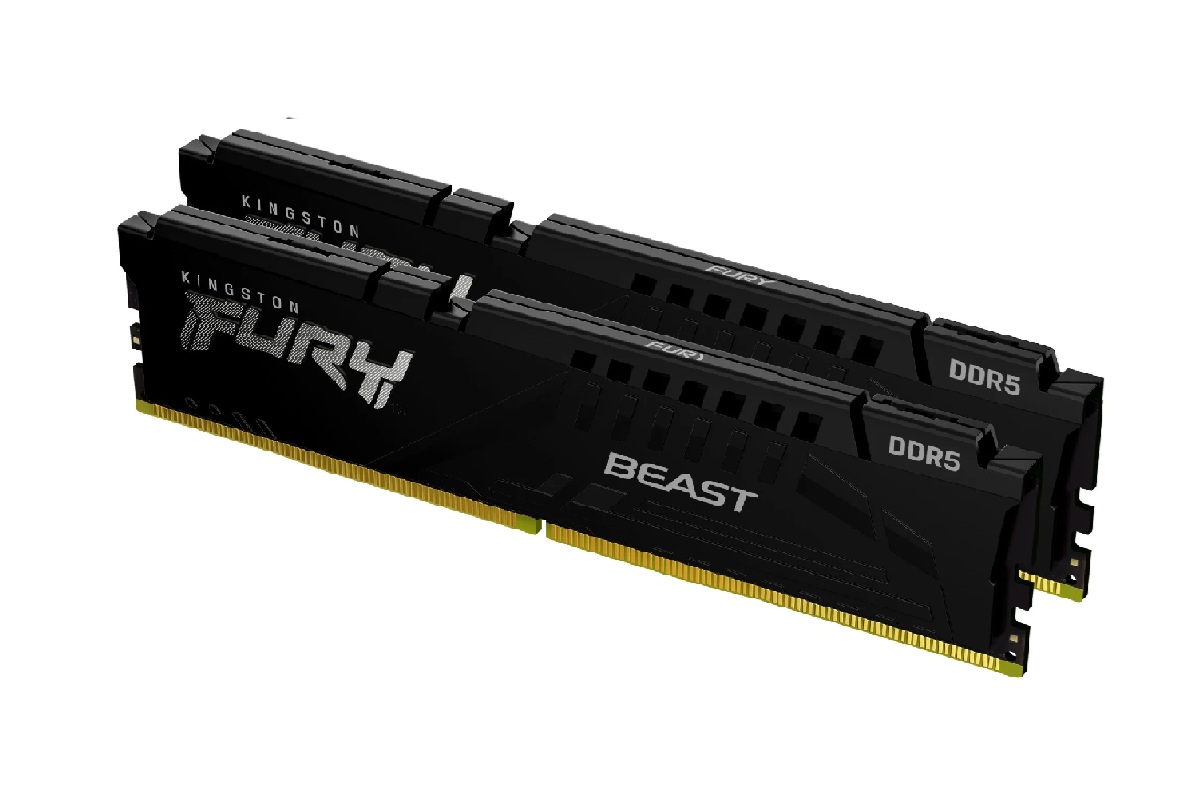
1. Kingston FURY Beast DDR5 6000 MHz (KF560C30BBEK2-32) – The latest DDR5 standard
Kingston Fury Beast is a fast DDR5 kit aimed at demanding PC users and intensive applications. The RAM module delivers a bandwidth of 6000 MHz and low latency of CL30 for this variant. Full support for authorised Intel XMP 3.0 and AMD EXPO profiles optimises voltage parameters and prevents failures caused by manual overclocking.
Advantages: Carefully calibrated parameters: 6000 MHz bandwidth and an access time of just CL30. Support for pre-configured and guaranteed overclocking profiles. Heat spreader system that effectively dissipates heat even in compact workstations under full load.
Disadvantages: Upgrading to such a high-spec DDR5 kit comes at a higher price point.
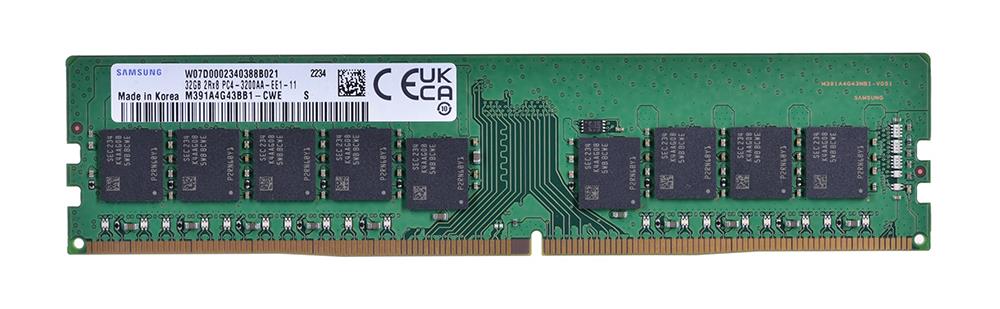
2. Samsung 32 GB DDR4 3200 MHz ECC (M391A4G43BB1-CWE) – A foundation of stability for workstations
A single, reliable 32 GB RAM module from Samsung, the market leader in memory products. It stands out with hardware-based ECC error correction – a technology for professional applications where any calculation error or system downtime is unacceptable. The module is ideal for small edge servers and demanding engineering workstations where stability and multithreading support are critical.
Advantages: Hardware error correction that eliminates data-transfer errors (ECC support), 32 GB in a single slot for easy, scalable system expansion, proven Samsung reliability.
Disadvantages: Limited compatibility – standard consumer processors do not support ECC memory, often requiring specialised motherboards or compatible workstations. No heat spreader.
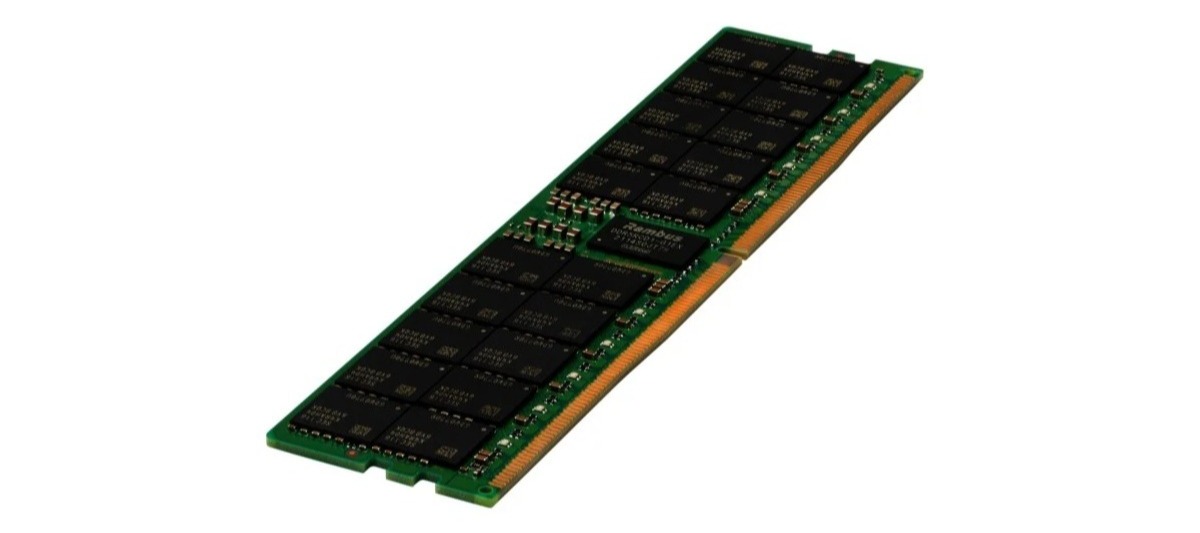
3. HPE 32 GB 2Rx8 DDR5-4800 MHz RDIMM (P43328-B21) – Reliable server standard
HPE RDIMM is a modern RDIMM memory module (Registered DIMM) with advanced ECC error correction. As an officially certified “HPE Smart Memory” variant, it is designed for the latest HPE servers (including ProLiant Gen11 and Apollo). Engineered for mission-critical databases, ERP systems and large-scale virtualisation environments.
Advantages: High performance thanks to DDR5 (4800 MT/s), 100% guaranteed compatibility as “Smart Memory” for enterprise-class infrastructures. Advanced ECC error detection helps prevent unexpected downtime.
Disadvantages: RDIMM technology works only with specific HPE server motherboards (incompatible with typical workstations). Moving to DDR5 requires the latest server architecture (e.g. ProLiant generation 11).
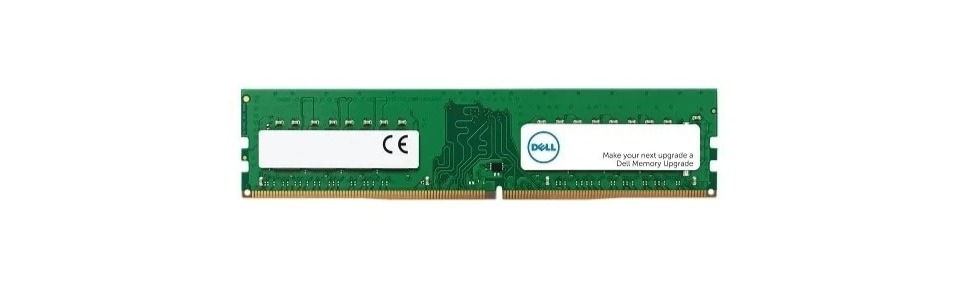
4. DELL Memory Upgrade 16 GB 1RX8 DDR5 UDIMM 5600 MHz (SNP4N59RC/16G) – Certified RAM for Dell workstations
Dell Memory Upgrade is a modern DDR5 memory module in UDIMM format with 16 GB capacity, delivering 5600 MT/s throughput at an energy-efficient 1.1 V. The module is specifically designed for safe, optimised upgrades of the latest Dell workstations and desktops (e.g. from the popular Dell OptiPlex and Precision ranges). It guarantees 100% compatibility and trouble-free operation in corporate infrastructure.
Advantages: Guaranteed compatibility with the Dell hardware ecosystem, significant bandwidth gain (DDR5 5600 MHz) that reduces processing times under heavy workloads, very low operating voltage (1.1 V).
Disadvantages: The new DDR5 standard requires latest-generation motherboards – the module is not suitable for older devices with DDR4 slots. Non-ECC module.
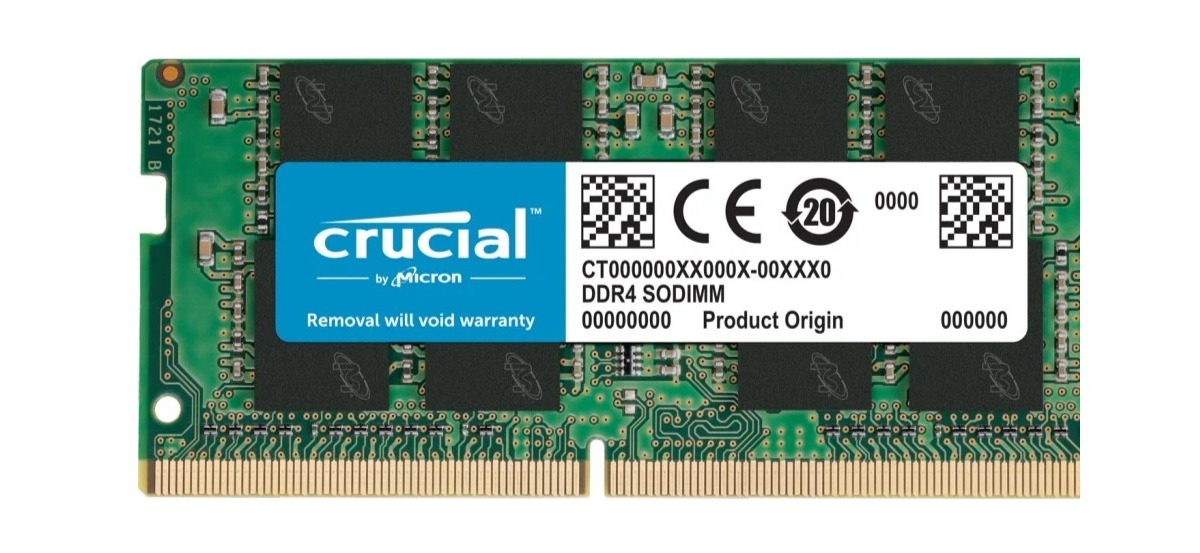
5. Crucial 8 GB DDR4 3200 MHz SO-DIMM (CT8G4SFRA32A) – A proven upgrade for business laptops
Crucial DDR4 is a reliable single module in SO-DIMM format from the renowned manufacturer Micron. The 8 GB RAM module achieves a transfer rate of 3200 MT/s at CL22 latency. It ensures smoother application performance and faster system responsiveness. A competitively priced option for upgrading older business laptops (e.g. the Lenovo ThinkPad range). Purchasing two modules enables the significantly more efficient Dual Channel mode.
Advantages: Low-voltage operation (1.2 V), which helps preserve battery life on the go. Very good value for money.
Disadvantages: An 8 GB capacity is the solid office minimum today – for heavier workloads a 16 GB module would be advisable.
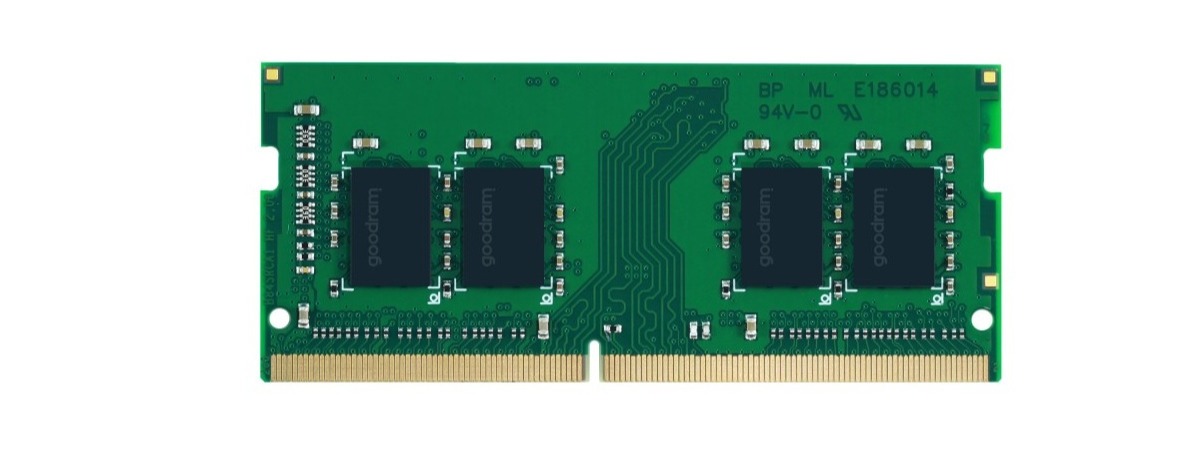
6. GOODRAM 16 GB DDR4 2666 MHz SO-DIMM (GR2666S464L19/16G) – Budget-friendly option
Goodram 16 GB DDR4 is a budget-friendly SO-DIMM memory module from a Polish manufacturer. It offers the 2666 MHz frequency common in business laptops with CL19 latency. Although the specification is not top-tier, the ratio of 16 GB capacity to its exceptionally low price makes it an excellent choice for quickly revitalising sluggish business laptops that lack day-to-day performance.
Advantages: Excellent price-to-capacity ratio with a full 16 GB. Manufacturer warranty from Wilk Elektronik. Ideal for refreshing older fleet laptops. Low 1.2 V voltage that helps preserve battery life.
Disadvantages: Possible compatibility issues with modern devices, low base frequency of 2666 MHz.
Summary – Which RAM is the best?
In B2B environments, the optimal RAM choice is first and foremost a strategic investment. The right configuration depends directly on business scale: from cost-effective modules for back-office workstations, through high-performance modules for laptops used by mobile teams, to certified ECC modules for servers. A well-planned memory upgrade means peace of mind and data security across the entire organisation.
Correctly selected RAM for bulk orders means not only fewer fleet failures but also a noticeable optimisation of IT deployment costs. Our customers, whether equipping offices or expanding data centres, look for the assurance that every module comes from an authorised source.
FAQ – Frequently asked questions about RAM
Can you mix RAM modules from different manufacturers?
While theoretically possible with identical parameters, this practice is not recommended in a business environment due to the risk of instability. Mixing modules from different brands can lead to sudden instability and costly downtime of critical workstations or servers.
What does Dual Channel / Quad Channel provide?
Installing memory in pairs (Dual) or groups of four (Quad) increases system stability and workflow smoothness – especially for the most heavily loaded workstations and database servers.
Do I need RAM with cooling?
For standard office tasks, RAM modules without a heat spreader are perfectly reliable and sufficient. Heat spreaders are useful in compact chassis and professional workstations, as they can quickly dissipate heat during intensive computations.
Does any RAM fit any computer?
The answer is: no. The module type (DDR4, DDR5), format (UDIMM for desktops, SO-DIMM for laptops, RDIMM for servers) and even the maximum supported capacity all depend on the motherboard. Additionally, DDR5 memory requires a compatible motherboard – a DDR4 board will not work with DDR5.
Is it worth adding RAM to a computer?
Yes, adding more RAM is the most cost-effective and most noticeable performance upgrade for older workstations and laptops in a company, making day-to-day work on those devices significantly smoother.
What are the disadvantages of DDR4?
DDR4 is an ageing architecture with limited bandwidth that can become a bottleneck for modern multi-core processors in engineering workstations and servers.
Still unsure which product to choose? Discuss your RAM requirements with our procurement consultant, who will help you reduce the risk of a poor purchase and select products tailored to your organisation’s needs. And if our ranking has helped with your decision, register on the Senetic B2B Portal and order your chosen RAM kit at competitive wholesale prices.
