


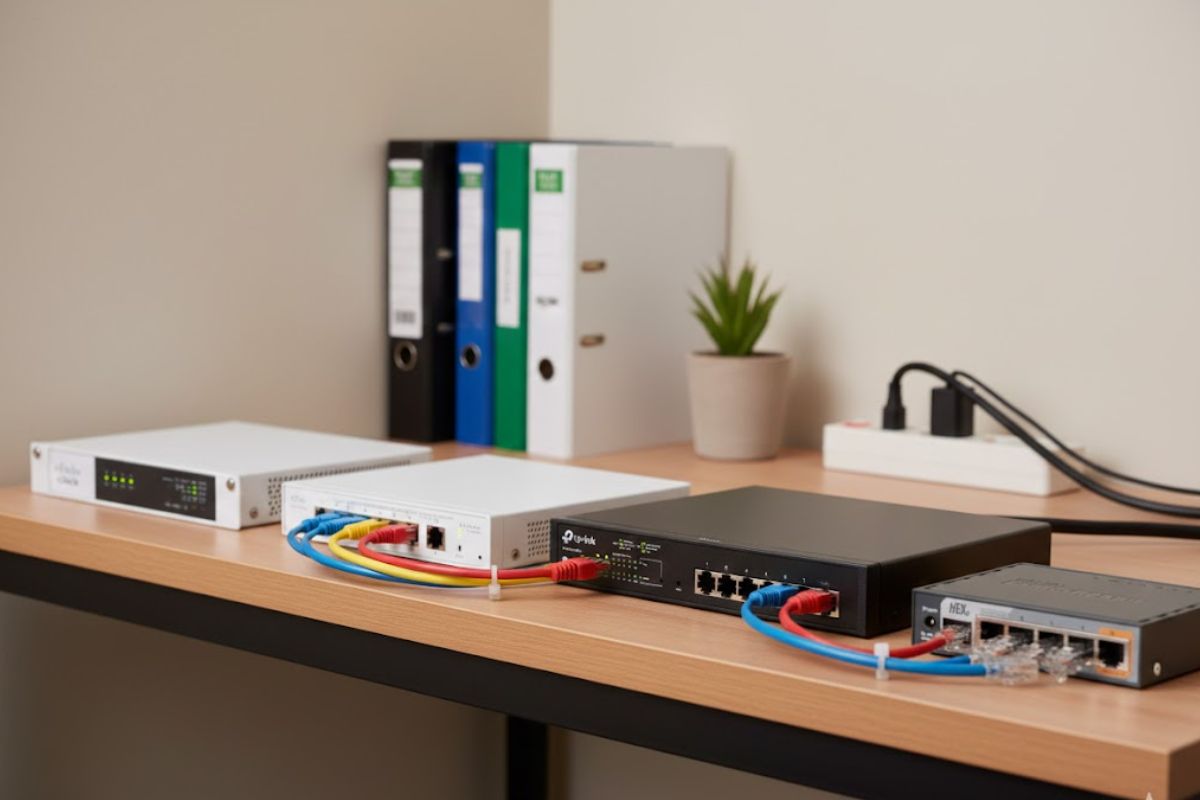
In modern business, where almost every process runs on IT infrastructure, a reliable computer network is an essential foundation for a smoothly working office. One of the key parts of this infrastructure is a switch, also known as a network switch. Even if for many people it is just a “black box with ports”, its role in everyday business is huge. A well-chosen switch for business not only provides a stable connection, but also supports growth, improves data security, and increases the team’s efficiency.
What is a network switch?
Switch is a network device that connects computers, printers, servers, and other devices in a local LAN network. Its job is to direct network traffic so data goes straight to the right recipient, without unnecessary load on other devices. A switch analyzes data packets and forwards them only to the specific port where the target device is connected. As a result, the network works faster, more reliably, and more securely.
Unmanaged or managed switch?
An unmanaged switch is the simplest type of switch, perfect for smaller companies and offices that do not have an IT department. Such a device works on a “plug & play” basis – just connect the cables and everything starts working. There is no need for configuration, logging into a panel, or knowing specialist protocols. For example, a small accounting office can easily use such a switch to connect a few computers, printers, and the internet connection. However, this simplicity has a downside – no management options means you have no visibility into what is happening in the network and no control over how it works.
A managed switch offers far more capabilities, but it also requires the right knowledge or support from a specialist. It allows, among other things, monitoring network traffic, configuring VLAN (virtual subnets), setting priorities for specific types of data (e.g. VoIP), securing access, and remote management. You will find this type of switch in companies that work with large amounts of data, have many departments or locations, use IP monitoring or internet telephony. For example, a marketing agency with many workstations, a NAS server, and VoIP phones will need a managed switch with QoS support and network monitoring options.
A switch with PoE – when does it make sense?
PoE (Power over Ethernet) is a feature that allows electrical power to be delivered through the same cable that carries data. This makes it much easier to install devices such as IP cameras, access points, or VoIP phones. You do not need extra power lines or local power adapters. Imagine a trading company that installed IP cameras in a warehouse – a PoE switch lets you power them without running a separate electrical installation. Depending on power, we distinguish PoE (up to 15.4 W), PoE+ (up to 30 W), and PoE++ (up to 60 W and more), which makes it possible to power more and more power-hungry devices.
Ports and bandwidth – what to look for?
Another key aspect when choosing a switch is ports and their bandwidth. The most common are 1G (Gigabit Ethernet) ports, which are more than enough for typical office work such as email, browsing websites, or cloud services. For more demanding needs – for example, companies editing video, creating 3D graphics, or running many cameras – it is worth considering 10G ports, which provide much higher data transfer speeds. SFP or SFP+ ports are designed for fiber connections and are used mainly when you need to connect buildings that are far apart or create a backbone network.
8-port switch for a small office – Cisco Business C1200-8T-D
For companies looking for a reliable and easy-to-use 8-port switch, it is worth considering the model Cisco Business C1200-8T-D. This unmanaged network switch offers eight ports Gigabit Ethernet, making it an ideal 8-port switch for a small office. Its compact size and fanless design make it quiet and suitable for any work environment. Perfect for basic connectivity of computers and printers, it delivers the reliability of the Cisco brand without any configuration.

8-port PoE switch – Ubiquiti UniFi Switch Lite 8 PoE
For users who need a switch with PoE, an excellent choice is Ubiquiti UniFi Switch Lite 8 PoE. This is an 8-port switch, and 4 ports provide PoE power, including 2 ports with PoE+. It is a great fit for offices with surveillance systems or Wi-Fi networks based on UniFi access points. Management is done through the intuitive UniFi Controller platform, giving the administrator full control over network traffic and the ability to optimize performance.
Advanced PoE+ switch – TP-Link TL-SG2210MP
If you need more PoE power and advanced management features, consider the model TP-Link TL-SG2210MP. It is a managed switch with 8 PoE+ ports (total power up to 150 W) and 2 uplink ports. It supports VLAN and QoS and offers advanced security features. It is designed for businesses deploying many IP cameras, VoIP phones, or access points in environments where stability and service quality are critical.

Switch-router for more technical users – MikroTik RB760iGS
For more technical users or small businesses that want to expand their infrastructure, a good choice is MikroTik RB760iGS. This switch-router has five Gigabit Ethernet ports and one SFP port. It enables VPN, firewalls, VLANs, and advanced bandwidth management. It is a versatile device that, in the hands of an experienced IT administrator, becomes a powerful tool for managing the network.

Simple switch with an app – Aruba Instant On 1930/1830 (JL680A)
If you want a simple but modern network switch with easy management through an app, the model Aruba Instant On 1930 (JL680A) or the related Aruba Instant On 1830 may be the right answer. It offers eight Gigabit Ethernet ports and can be mounted both on a desk and in a rack cabinet. It works great in fast-moving offices that want to keep installation simple but still gain basic control over network traffic.

Summary – how to choose the right switch for your business?
To sum up, when choosing a switch for business, it is worth looking not only at price, but above all at matching the device to real needs. For small offices, a simple unmanaged switch is usually enough, while for fast-growing businesses – especially those using advanced IT systems – a better choice is a managed switch with PoE support and SFP ports. The right investment pays back quickly through higher productivity, better security, and the ability to scale the infrastructure.
Also check categories in the Senetic store: switches for businesses, Ubiquiti switches, MikroTik switches.
Frequently asked questions
Question 1: Which switch should I choose for a small business without an IT department?
If you run a small office, use a few computers, a printer, and basic cloud services, an 8-port Gigabit unmanaged switch without PoE is usually enough. It provides stable connectivity, is easy to install (plug & play), and does not require specialist knowledge. It is worth choosing a proven brand, such as Cisco or TP-Link.
Question 2: When is it worth paying extra for a switch with PoE?
A PoE switch is worth it whenever you use IP cameras, Wi-Fi access points, or VoIP phones. With PoE, one cable delivers both data and power, which simplifies cabling and device installation (especially on ceilings or outdoors). With a larger number of such devices, it is worth choosing a managed PoE+ switch with the right power budget.
